Shortcut
Select text and press ⌃⌥D. The popup opens right where you are reading. You can change the shortcut.
Needs Accessibility permission
Open your StarDict, DSL or MDict files. Select a word anywhere, press the shortcut, and the definition appears.
macOS 14 or later · Apple silicon and Intel · No subscription
The network is used only for features you turn on, such as downloading dictionaries, Azure speech or Google sync. See exactly what each feature sends
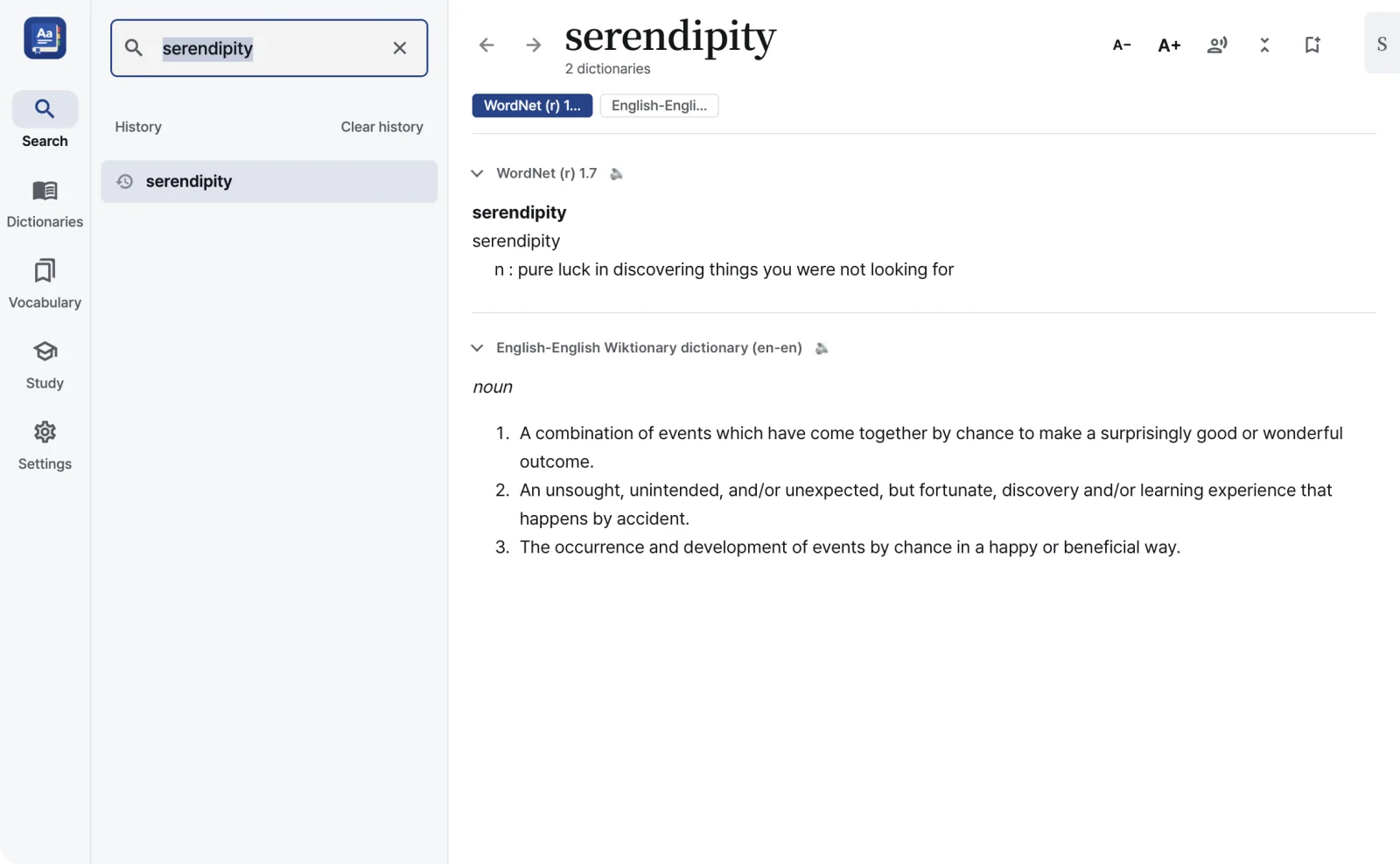
The same popup opens over your browser, a PDF, an email or a document.
Select text and press ⌃⌥D. The popup opens right where you are reading. You can change the shortcut.
Needs Accessibility permission
Hold ⌥ ⌃ ⇧ or ⌘ and rest the pointer on a word. Point at an inflected form and you get the base word. Off by default.
Needs Accessibility permission
Where the text can’t be read directly, as in an image or a screenshot, RealDict recognizes the word on screen and looks it up.
Needs Screen Recording permission
Select a word, right-click, and pick it from the Services menu.
Click the RealDict icon in the menu bar and type a word. The definition opens in the lookup popup, right under the icon. Right-click the icon to open RealDict, open Settings or quit. On by default; you can turn it off in Settings.
There is also a clipboard watch that looks up words as you copy them. It is off by default and skips anything copied from a password manager. RealDict can also open when you log in to your Mac; that is off by default too. To turn on permissions, see Permissions.
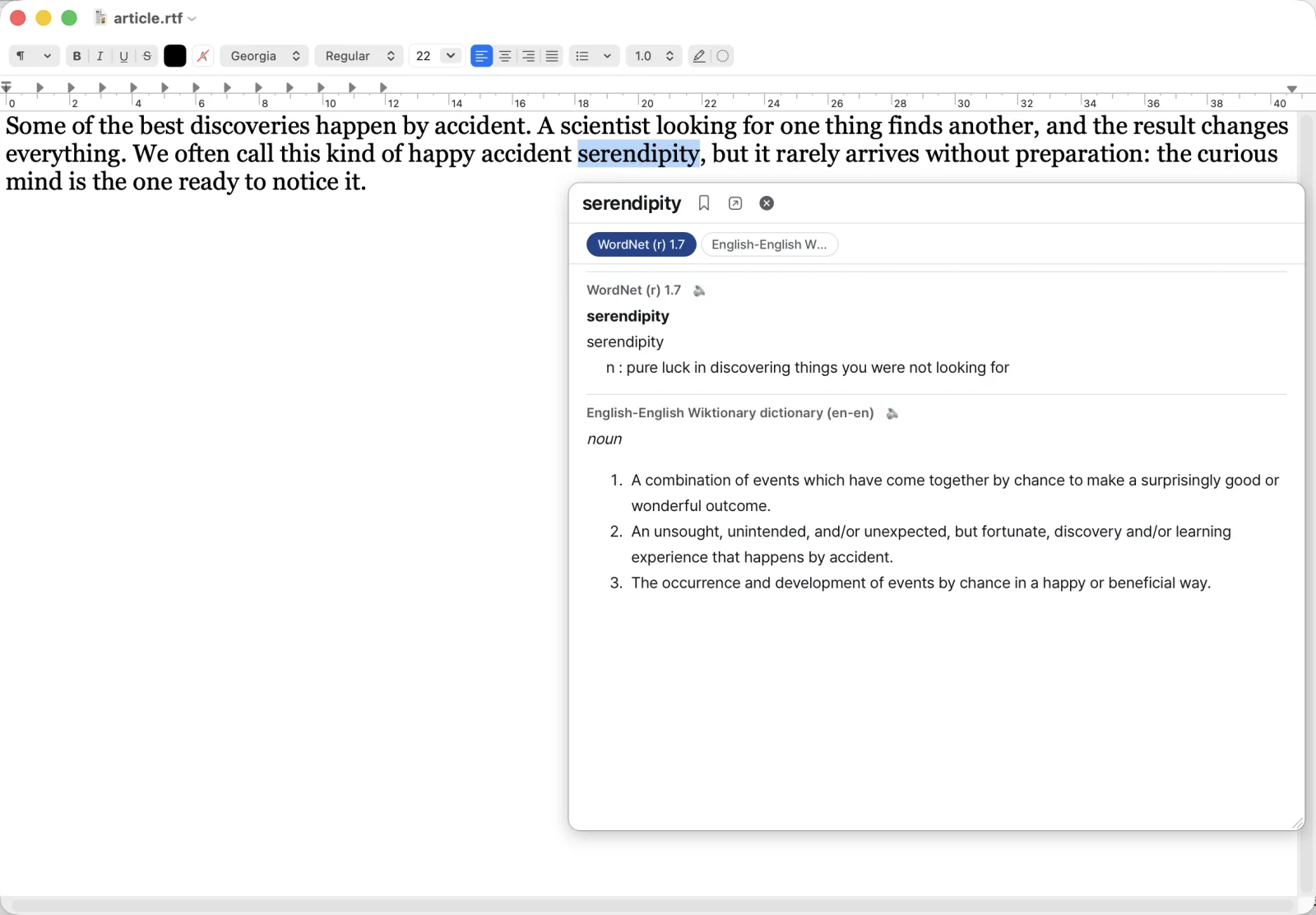
RealDict ships with no dictionaries. Open the files you own, or download openly licensed ones from inside the app.
| Format | Files |
|---|---|
| StarDict | .ifo .idx .idx.gz .dict .dict.dz .syn |
| Lingvo DSL | .dsl .dsl.dz including annotations and media |
| MDict | .mdx .mdd v1.x and 2.x, unencrypted |
| Hunspell | .aff .dic for word forms |
| Archives | .zip .tar.gz .bz2 .xz .zst drop one in and the dictionaries inside are found |
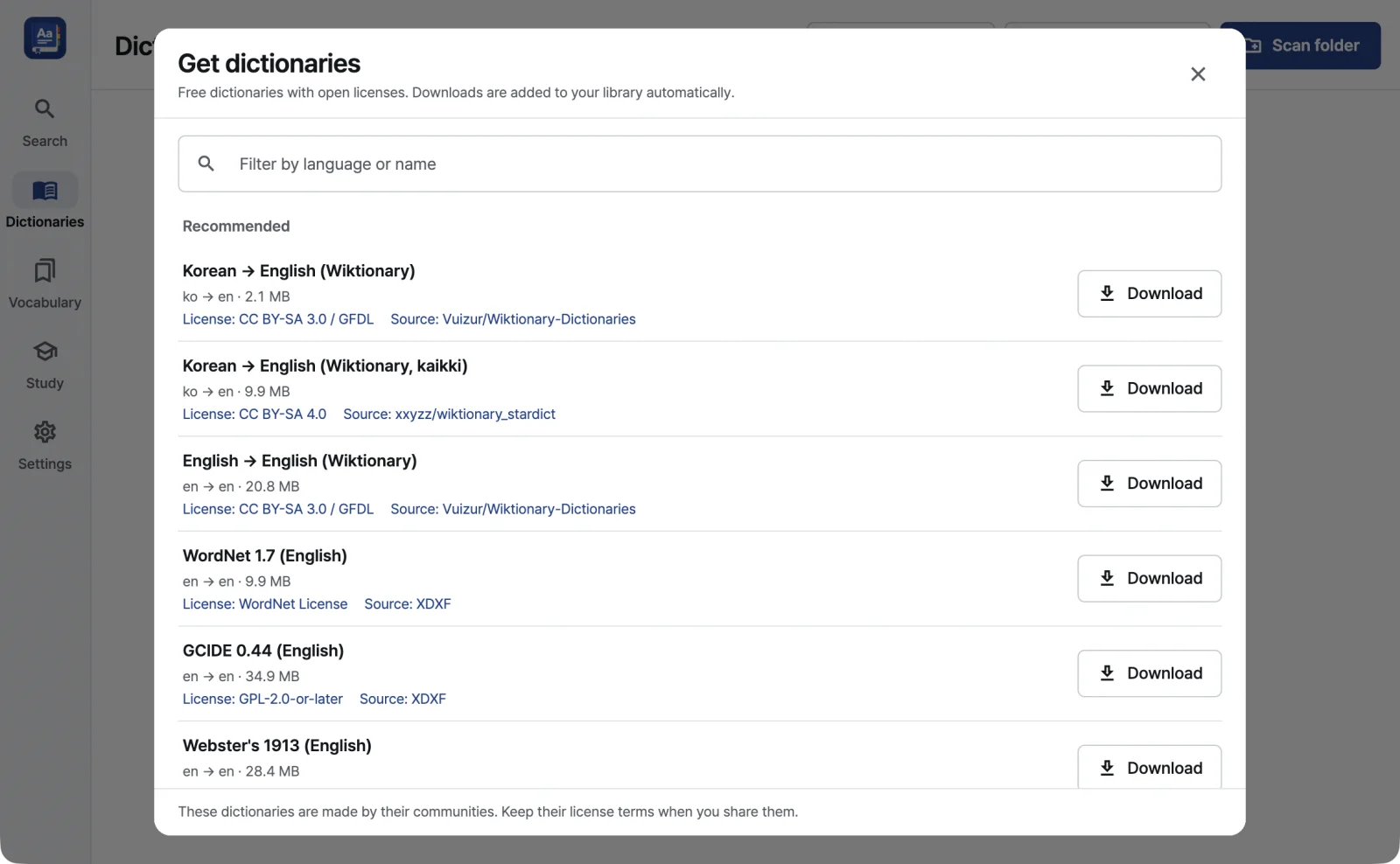
Download curated picks such as Wiktionary-based dictionaries, WordNet and GCIDE, the full FreeDict list and 14 Hunspell word-form packs in one click. There are also Korean → English and English → Korean dictionaries converted by RealDict from the National Institute of Korean Language’s Basic Korean Dictionary. Checksums are verified where available.
Drop files or folders and RealDict searches every subfolder. Dropping a part file such as .idx or .mdd finds its main file.
Drag to set priority and keep several sets as profiles. Removing a dictionary never deletes its files.
Results appear as you type, ignoring case and accents.
Save words with a deck, tags, the sentence, the source app and the dictionary, then find them again with search and filters.
Export an .apkg file; exporting again updates the same notes. Pronunciation audio is included only with your own Azure key. Anki export help
Review with built-in flashcards. Set new cards per day (default 20) and target retention (default 0.90).
Export to CSV, paste a word list to import it, or copy the list.
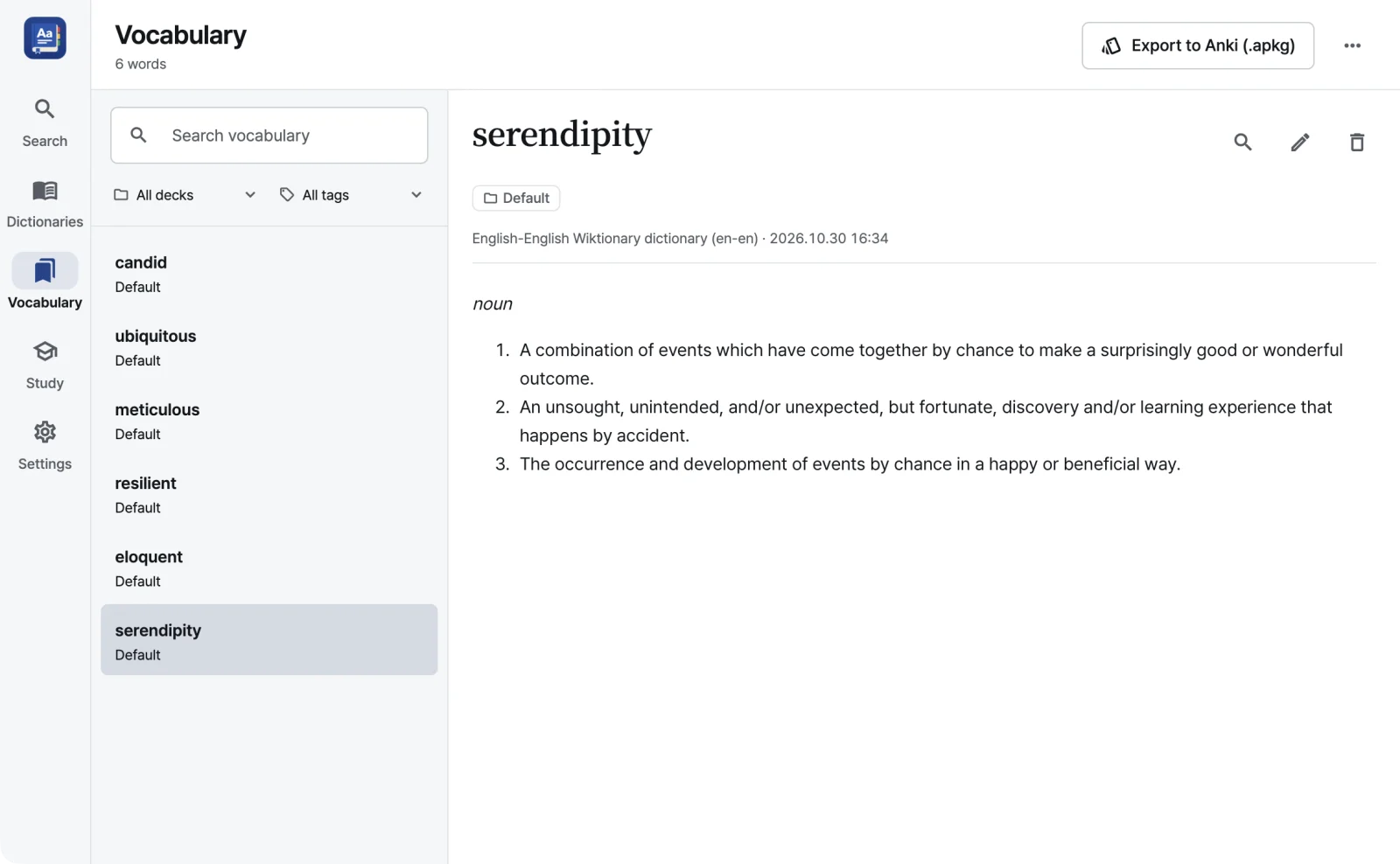
Your vocabulary and study progress stay in step between your Macs. Off by default.
macOS system voices by default: free, and they work offline.
Combine 4 styles with 4 accents, in light, dark or your system setting.
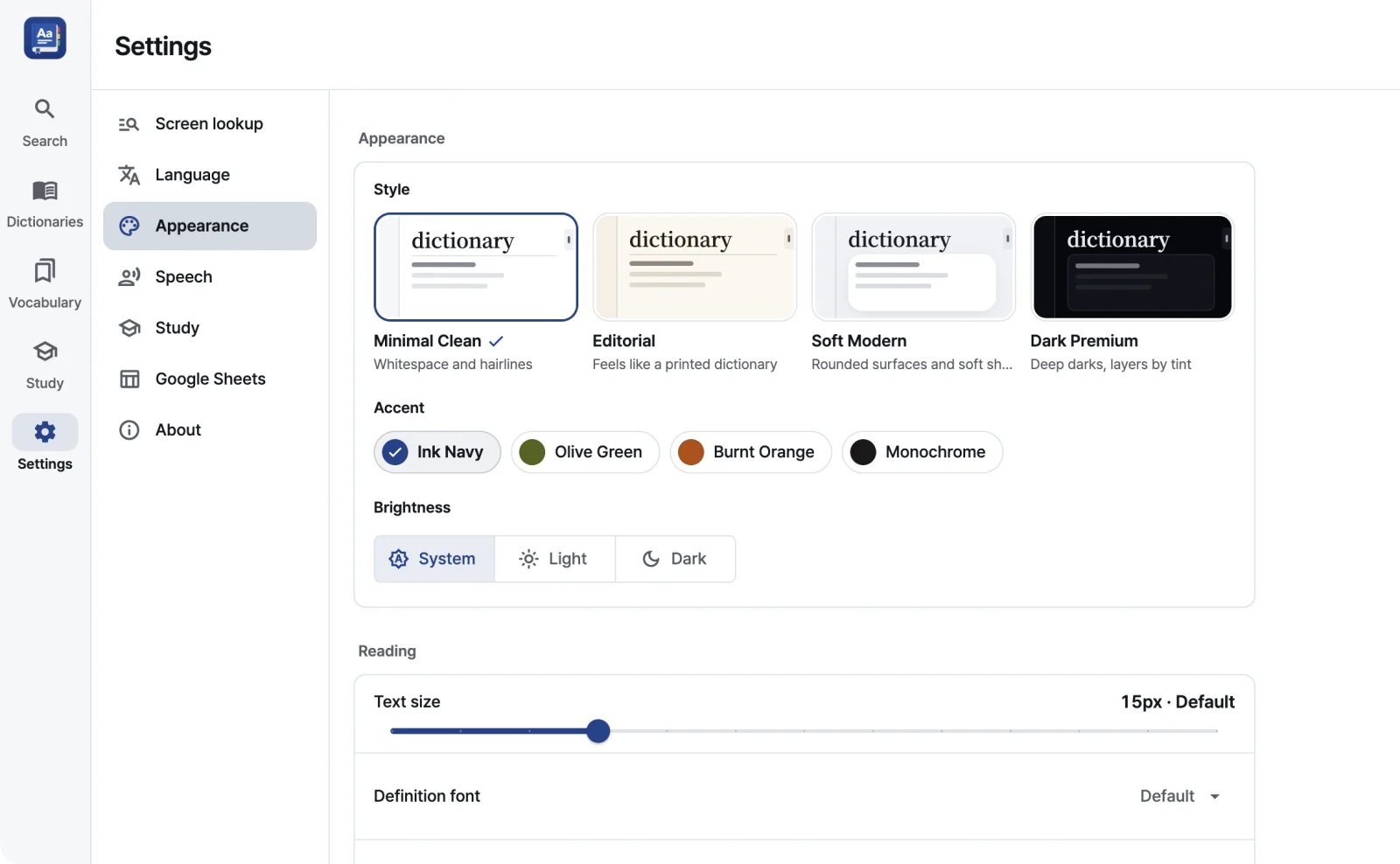
The interface comes in 20 languages: English, 한국어, 简体中文, 繁體中文, Español, Português (Brasil), Français, Deutsch, 日本語, Русский, العربية, हिन्दी, Bahasa Indonesia, Tiếng Việt, Türkçe, Italiano, ไทย, Polski, Українська, Nederlands
| Keys | Action |
|---|---|
| ⌃⌥D | Look up selected text in any app (changeable) |
| Hold a modifier and hover | Look up with the pointer |
| ⌘L | Focus the search field |
| ⌘F · ⌘G ⇧⌘G | Find in definitions · next · previous |
| ⌥← ⌥→ | Back · forward |
| ⌥↑ ⌥↓ | Previous · next dictionary |
| ⌘+ ⌘− ⌘0 | Larger · smaller · default text |
| Space · 1–4 | Study: flip card · rate |
$8one-time
RealDict ships with none. In the app, Get dictionaries offers openly licensed dictionaries such as Wiktionary-based ones, WordNet, GCIDE, the Basic Korean Dictionary and the FreeDict list, and shows the license and source of each.
If you use dictionary files you already have, follow their terms of use. See Adding dictionaries for the details.
StarDict (.ifo, .idx, .idx.gz, .dict, .dict.dz, .syn), Lingvo DSL (.dsl, .dsl.dz) and MDict (.mdx, .mdd, v1.x and 2.x). Hunspell (.aff, .dic) is used for word forms.
Encrypted MDict files, MDict 3.0, XDXF and BGL are not supported yet.
Yes. An .mdd file holds an MDict dictionary’s resources, such as images and sound, and RealDict reads it together with the .mdx. Dropping an .mdd file finds its matching .mdx.
The lookup shortcut and hover lookup need Accessibility to read the text you select or point at in other apps. Looking up text inside images and screenshots also needs Screen Recording.
If you only search in the main window, you need neither. See Permissions to turn them on.
Yes. Search, lookup in other apps, vocabulary, study and macOS system voices all run on your Mac. You need a connection only for features such as downloading dictionaries, Azure speech or Google sync.
Only what a feature you turned on sends. For example, Azure speech sends the text to read and your Azure key to Microsoft, and Google Sheets sends the day’s words to the Apps Script you deployed. The privacy policy lists every feature.
Yes. Every feature is free for the first 14 days.
Without a license key, lookup from other apps (the shortcut, hover, the Services menu and clipboard watch) and Anki export are locked. Search in the main window keeps working.
Your vocabulary is never deleted or changed when the trial ends. Enter a key to unlock everything again; one key works on up to 3 of your Macs.
All 1.x updates are free. One license key works on up to 3 of your Macs. A major 2.0 release may be sold separately, with a discount for existing customers.
See the refund policy.
It needs macOS 14 or later and runs on both Apple silicon and Intel Macs.
Get dictionaries includes Korean → English and English → Korean dictionaries converted by RealDict from the Basic Korean Dictionary. The English → Korean one works as a reverse index, finding Korean words through their English definitions. Source: National Institute of Korean Language, Basic Korean Dictionary (CC BY-SA 2.0 KR).
Korean → English (Wiktionary) is available too. Korean dictionaries you already have can be opened if they use a supported format. The interface is available in Korean, and you can pick a separate Korean voice.
Only when you set up your own Microsoft Azure speech key. Without one, words, definitions and context are still exported. See Exporting to Anki.
No subscription · macOS 14 or later · Apple silicon and Intel · Changelog